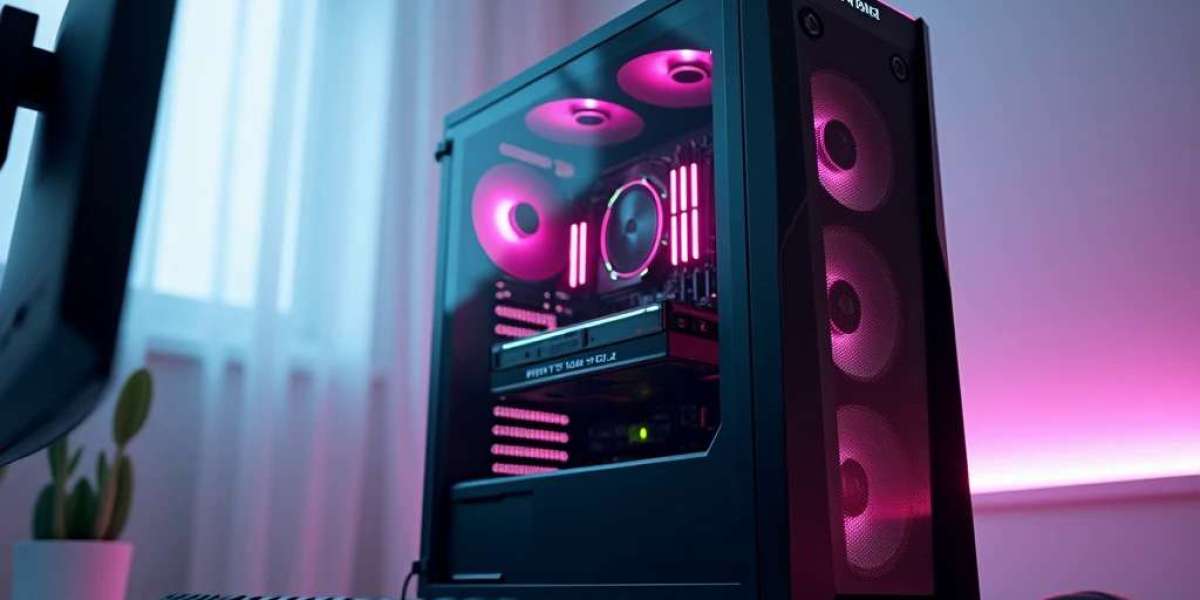

Choosing a gaming computer is easier when you understand what each component contributes to the overall experience. A graphics card handles visual processing, but the processor, RAM, storage, and cooling also influence how well a system performs. The right configuration should match your favourite games, monitor resolution, and future upgrade plans.
An RTX 5070 PC can be a practical choice for gamers looking for modern graphics technology and strong performance without moving into the highest-priced GPU category. By selecting compatible components and avoiding unnecessary upgrades, you can create a gaming setup that offers a useful balance between performance, features, and cost.
NVIDIA RTX 5070: Key Features and Capabilities
The NVIDIA GeForce RTX 5070 is based on the Blackwell architecture and comes with 12GB of GDDR7 video memory. It supports modern graphics features designed to improve visual quality and gaming performance in compatible titles.
One important feature is ray tracing, which produces more realistic lighting, shadows, and reflections. These effects can make game environments more detailed, although enabling them can increase the workload on the graphics card.
The GPU also supports DLSS, which uses AI-based techniques to improve image quality and performance in supported games. Frame generation can increase displayed frame rates in compatible titles, but generated frames are not the same as frames rendered directly by the GPU. The benefits also depend on the game and implementation.
For buyers, these features make it important to check game compatibility and independent performance results before deciding which settings and monitor to use.
Choosing the Right Gaming Resolution
Your monitor resolution should influence the rest of your build. Playing at 1080p requires less graphics processing than playing at 1440p or 4K. A higher resolution can provide sharper images, but it also increases the amount of work required from the GPU.
The RTX 5070 is worth considering for gamers interested in 1440p gaming. This resolution offers a useful combination of visual detail and screen space, making it appealing for many modern games. It can also be used with a 1080p display, particularly by players who value high refresh rates in supported titles.
If you want to use a 4K monitor, check benchmarks for the specific games you play. You may need to adjust demanding settings or use supported DLSS features to achieve your preferred experience. Choosing a display based on your gaming habits is more useful than automatically buying the highest resolution available.
Select a Processor That Keeps the Build Balanced
The CPU handles game calculations, background applications, physics, and many tasks that happen while the graphics card renders images. A suitable processor helps prevent the system from being held back by an unbalanced configuration.
Modern AMD Ryzen 5 and Ryzen 7 processors, along with suitable Intel Core i5 and Core i7 models, are worth comparing for this type of gaming setup. The exact model should depend on your budget, the games you play, and whether you use the computer for other activities.
Competitive gaming can place considerable demands on the processor when targeting high frame rates. Players who stream, record gameplay, or edit videos may prefer a CPU with additional processing resources. Check motherboard compatibility and compare actual performance instead of choosing a processor based only on its product name.
How Much RAM Should You Install?
System memory helps the computer run games, applications, and background processes. For a modern gaming setup, 32GB of RAM is a sensible starting point. It provides room for gaming alongside everyday activities such as browsing, voice chat, and multitasking.
Remember that the RTX 5070's 12GB of VRAM is different from system RAM. Video memory supports graphics processing, while system memory supports the wider computer. Both have separate roles.
A 64GB configuration may be useful for users who work with large creative projects or regularly run several demanding applications. However, most gamers do not need to increase memory capacity without a specific reason.
Choose an SSD That Matches Your Game Library
Storage affects how much software you can keep installed and how quickly files can be accessed. An NVMe SSD is a practical choice for the operating system, frequently played games, and everyday applications.
A 1TB SSD can be suitable for a smaller collection of games. If you regularly install large titles, record gameplay, or store media files, a 2TB drive may offer greater convenience.
When selecting a motherboard, check the number of available M.2 slots and supported storage connections. This allows you to add capacity later without necessarily replacing your primary drive.
Case Airflow and Cooling for Reliable Operation
A gaming PC needs a suitable cooling arrangement to manage heat during extended sessions. The graphics card and processor both generate heat under load, so the case should provide enough ventilation to move warm air outside.
Look for a case with suitable intake and exhaust fan positions, accessible dust filters, and enough internal space. Check the exact dimensions of your chosen RTX 5070 model before buying, as graphics cards from different manufacturers can vary in size.
The processor cooler should also match the selected CPU. A quality air cooler may be sufficient for many configurations, while a suitable liquid cooling solution can be considered for processors with higher cooling requirements. Focus on compatibility and thermal performance rather than selecting cooling hardware only for its appearance.
Don't Compromise on the Power Supply
The PSU supplies power to the graphics card, processor, motherboard, and other components. An unsuitable unit can create reliability problems, so it deserves careful attention during the planning stage.
Check the recommended PSU specifications for the exact RTX 5070 model you intend to purchase. Confirm that the unit has the correct connectors, suitable cable compatibility, and enough capacity for the complete computer. Different graphics card designs may have different power requirements.
Choosing a reliable power supply from a reputable manufacturer is a sensible long-term decision. It is also important to organise the cables properly so they do not obstruct the case's airflow.
Buying an RTX Gaming Setup in the UAE
When comparing gaming computers in the UAE, do not judge a system only by the graphics card advertised in its title. Two computers using the same GPU may have different processors, motherboards, memory, storage, cooling, and power supplies.
Budget Gamer offers gaming PCs, custom builds, and hardware options for different budgets and gaming preferences in the UAE. If you are comparing ready-made systems or planning a custom configuration, ask for the exact component models, warranty details, and available upgrade options. This makes it easier to understand the value of each configuration.
Also include the monitor and essential accessories in your budget. A well-matched display and comfortable peripherals can make a noticeable difference to everyday gaming.
Frequently Asked Questions
1. How much VRAM does the RTX 5070 include?
The NVIDIA GeForce RTX 5070 comes with 12GB of GDDR7 video memory. This memory is dedicated to graphics-related tasks such as rendering and handling textures.
2. Is the RTX 5070 suitable for 1440p gaming?
It is a suitable graphics card to consider for a 1440p gaming setup. Actual performance depends on the game, graphics settings, ray tracing, and supported DLSS features.
3. Is 32GB of RAM enough for this gaming build?
Yes, 32GB of system RAM is a practical starting point for most modern gaming users. More memory may be useful for demanding professional applications and heavier multitasking.
Conclusion
Building a capable gaming computer means choosing hardware that works together rather than spending the entire budget on one component. Processor performance, memory, storage, cooling, power delivery, and monitor quality all contribute to the final result. An RTX 5070 PC can provide a strong foundation for modern gaming, particularly for users interested in 1440p resolution and current graphics technologies. Compare complete specifications, check compatibility, and research performance in your favourite games before making your final decision.