
Construction projects rarely run exactly as planned. A material delivery gets delayed, a subcontractor becomes unavailable, bad weather interrupts outdoor work, or a client requests a last-minute change. One small disruption can affect several activities across the project.
For contractors managing multiple sites, keeping everyone informed becomes a daily challenge. Schedules may be spread across spreadsheets, emails, WhatsApp messages and paper documents. When information is scattered, managers spend more time coordinating work and less time controlling project progress.
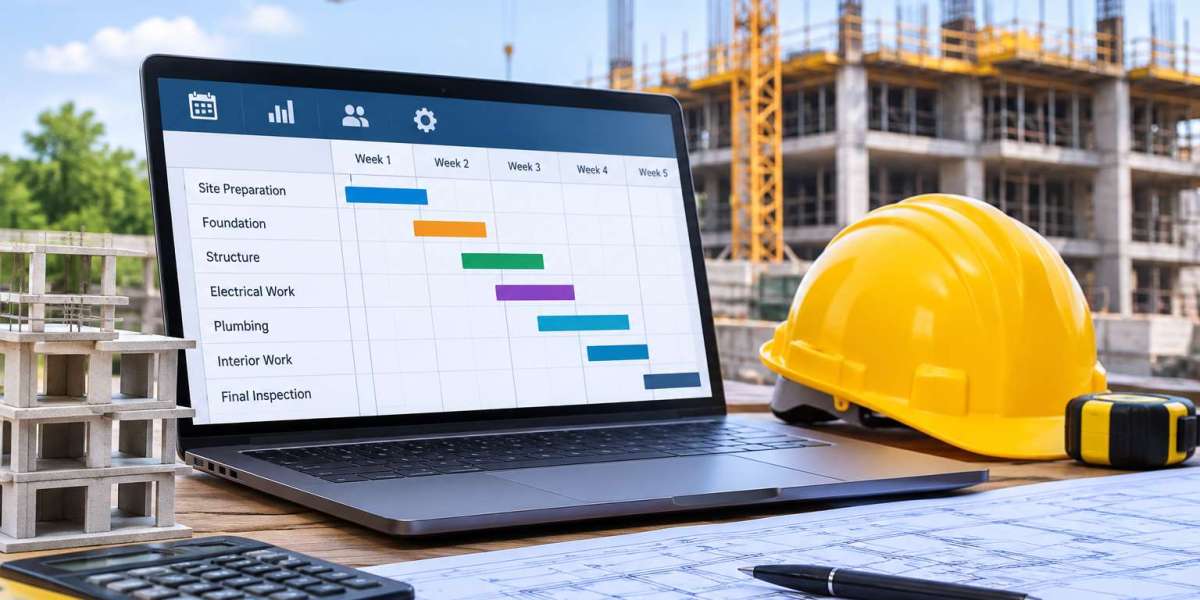
This is where planning software construction can make a practical difference. It gives construction companies a central place to organize activities, allocate workers, coordinate resources and monitor project progress. Instead of relying on disconnected planning methods, teams can work with shared information and respond to changes more effectively.
Why Construction Planning Becomes Difficult as a Business Grows
A small contractor might manage a few projects with a spreadsheet and regular phone calls. That approach can work for a while. But as the number of projects, employees and subcontractors increases, coordination becomes harder.
Several problems tend to appear.
Multiple projects compete for the same resources
A company may have several projects running at the same time, but only a limited number of skilled workers, machines and vehicles. Without a clear overview, two project managers might schedule the same team for different locations.
This creates avoidable delays and forces managers to rearrange schedules at short notice.
Schedule changes do not reach everyone
A project schedule is only useful when the people involved have the latest information. If an office manager updates a spreadsheet but the site supervisor continues using an older version, teams can end up working with conflicting instructions.
Material and labour planning are disconnected
Construction work depends on the availability of both people and materials. Scheduling a team before confirming that the required materials are available can result in idle time.
Planning should therefore connect work activities with purchasing, delivery dates and workforce availability.
Managers struggle to see actual progress
A schedule may show what should happen, but it does not always show what has happened. When progress updates arrive late, managers may discover delays only after they have affected the next stage of work.
How Planning Software Construction Improves Daily Operations
A digital planning system helps contractors organize project activities in one structured environment. Its value is not simply replacing a spreadsheet. It is making planning information easier to maintain, share and use.
1. Creates a central project schedule
A central schedule gives managers an overview of ongoing and upcoming work. They can organize activities by project, assign responsibilities and understand how different tasks depend on each other.
For example, a renovation contractor may need to coordinate demolition, electrical work, plumbing, plastering and finishing. If one activity moves, the following tasks may also need to change.
With a shared planning overview, managers can identify affected activities and adjust the schedule instead of updating several separate documents.
2. Makes workforce allocation more practical
Labour is one of the most important resources in a construction business. A planning tool construction teams use should help managers understand who is available, where they are assigned and when their work is expected to take place.
This can help prevent:
Double-booking employees across projects.
Assigning workers without considering their availability.
Leaving teams without scheduled work.
Overlooking upcoming workload conflicts.
Making repeated changes through phone calls and messages.
Managers can make more informed allocation decisions when workforce information is connected to the project schedule.
3. Improves coordination between the office and site
Office teams, project managers and site supervisors often work with different information. A shared planning environment helps reduce this gap.
When an activity changes, the relevant people can work from updated project information rather than relying on an old printed schedule or an email sent several days earlier.
This is particularly useful for contractors managing several locations or working with external subcontractors.
4. Helps identify delays earlier
A schedule should be used as an active management tool, not just something created at the beginning of a project.
Managers should compare planned activities with actual progress. If a task is taking longer than expected, they can review its impact on the remaining schedule.
For example, a delayed installation may affect inspection, finishing and handover. Recognizing the problem early gives the contractor more time to rearrange resources and communicate with the client.
What Should Contractors Look for in Construction Planning Software?
Not every planning solution is designed for the way construction companies operate. A generic calendar may help organize appointments, but contractors need to manage projects, resources, costs and operational dependencies.
When comparing construction software for contractors, consider the following capabilities.
| Capability | Why it matters |
|---|---|
| Project scheduling | Organizes activities, milestones and deadlines |
| Resource planning | Helps allocate employees and equipment |
| Work order management | Connects planned work with operational instructions |
| Project progress tracking | Helps compare planned and actual work |
| Cost calculation | Supports better visibility into estimated and actual costs |
| Invoicing | Connects completed work with the billing process |
| Shared project information | Helps office and site teams work with consistent information |
The right combination depends on the company's size, trade and project complexity. A roofing contractor may prioritize crew allocation and weather-dependent scheduling, while a general contractor may need to coordinate several subcontractors and project phases.
Why Planning Should Be Connected to Other Construction Processes
Planning does not happen in isolation. A schedule can look perfect on screen but still fail when purchasing, budgeting or work execution are not properly coordinated.
This is why many businesses consider broader software for construction rather than adopting a standalone scheduling tool.
Connect planning with cost calculations
A project schedule affects labour requirements, equipment use and expected project duration. These factors influence the overall cost of the work.
When planning information and cost calculations are connected, managers can better understand how schedule changes may affect project margins.
For example, extending a project by several days could increase labour and equipment costs. Reviewing those implications early helps managers make better decisions.
Contractors can explore construction cost calculation and after-calculation functionality (voor en acalculatie) to understand how estimated figures can be compared with actual project costs.
Connect planned work with execution
A schedule tells teams what needs to happen and when. Work orders help communicate what needs to be done.
When these processes are connected, managers can reduce the gap between planning an activity and assigning the work to the people responsible for completing it.
It also becomes easier to follow up on outstanding tasks and understand which activities still need attention.
Connect planning with the wider business
As a contractor grows, scheduling becomes one part of a much larger operational process. Projects also involve quotations, customer communication, purchasing, work orders, invoicing and financial follow-up.
A broader software solution for the construction industry (software bouwsector) can help companies bring these activities into a more connected workflow.
The goal is not to add more software for the sake of it. It is to reduce repeated administration and make important business information easier to access.
Practical Example: Managing Several Construction Projects at Once
Consider a contractor managing three projects: a residential renovation, a commercial installation and an exterior renovation.
The same group of specialist employees is needed across all three projects. One supplier also has a delivery delay that affects the commercial installation.
Without a central planning process, the project manager may need to contact several people, update separate schedules and check whether the other projects are affected.
With a shared planning system, the manager can review the resource allocation, identify the affected activities and adjust the schedule.
The manager may move one team to the residential project temporarily, reschedule the installation activity and inform the relevant site supervisor.
This does not remove the supplier delay, but it gives the company a clearer way to manage its consequences.
The same principle applies to larger businesses. Better planning does not prevent every disruption. It helps managers understand what is happening and respond before a small issue becomes a wider operational problem.
Common Mistakes to Avoid When Introducing Planning Software
Buying software is only one part of improving project planning. Contractors also need to make sure that the system supports their actual working methods.
Choosing software based only on price: A low-cost tool may lack important construction-specific functions. Compare the features with your real operational requirements.
Trying to automate a broken process: If responsibilities and approval steps are unclear, software will not automatically fix them. Review the workflow before implementing a new system.
Ignoring employee adoption: Site supervisors and office staff need to understand how the system fits into their daily work. Complicated processes can lead employees back to spreadsheets and informal messages.
Entering incomplete information: Planning depends on accurate project dates, employee availability and activity details. Poor information leads to unreliable schedules.
Failing to review the schedule: A schedule should change when project conditions change. Managers should review progress regularly rather than treating the original plan as permanent.
How to Choose the Right Planning Solution for Your Construction Company
Before selecting a system, identify the operational problems that create the most pressure for your business.
Start by asking a few practical questions:
How many projects do we manage at the same time?
How do we currently allocate employees and equipment?
How often do schedule changes cause confusion?
Can project managers see the latest progress information?
Are planning, work orders and cost calculations connected?
Can the software support our current processes as the business grows?
It is also worth testing the system with a real project before introducing it across the entire company. This gives employees an opportunity to understand the workflow and helps management identify missing requirements.
For contractors looking for an integrated approach, Bouwflow's project management and planning features are relevant to consider when reviewing how project activities can be organized and managed.
Conclusion
Good construction planning is about more than assigning dates to tasks. Contractors need to coordinate people, materials, equipment, deadlines and budgets while responding to changes that are part of everyday project work.
Planning software construction can help create a shared overview, improve resource allocation and make schedule changes easier to manage. Its benefits become more valuable when planning is connected to work execution and financial processes.
The best solution is not necessarily the one with the most features. It is the one that fits the company's actual operations, is practical for employees to use and gives managers better information for making decisions.
Frequently Asked Questions
1. What is planning software construction?
Planning software construction refers to digital tools that help construction companies schedule project activities, allocate workers, coordinate resources and monitor progress. It can replace disconnected planning documents with a shared operational overview.
2. Why do contractors need construction planning software?
Contractors often manage several projects, teams and deadlines at the same time. Planning software helps them organize activities, reduce scheduling conflicts and respond more effectively when project conditions change.
3. Can construction planning software manage multiple projects?
Yes. Many construction planning solutions allow companies to organize several projects in one environment. Managers can review schedules, resource assignments and upcoming activities across different jobs.
4. Is planning software useful for small construction companies?
Yes. Smaller contractors can also benefit from clearer schedules and resource allocation. The important thing is to choose a system that matches the company's current needs without making daily work unnecessarily complicated.
5. What is the difference between planning software and construction ERP software?
Planning software focuses mainly on scheduling activities and resources. Construction ERP software typically connects planning with other business processes, such as quotations, work orders, purchasing, invoicing and project cost management.
6. What should contractors check before choosing planning software?
Contractors should review project scheduling, workforce allocation, progress tracking, work order management, ease of use and integration with other business processes. Testing the system with a real project can also help identify whether it fits their workflow.