
Finding new customers is not always easy, especially when your business depends on reaching other businesses in specific locations. You might spend hours searching for companies online, checking their websites, and collecting contact details, only to end up with a list that needs more work. For sales and marketing teams, this process can quickly become time-consuming.
This is where a Google Map Extractor can make a difference. It helps businesses find and organize information about companies listed on Google Maps, making it easier to research potential customers and explore new markets.
Whether you run a marketing agency, offer business services, or manage a B2B sales team, having access to organized business information can make prospecting more manageable. But can a Google Map Extractor really improve your lead generation strategy? Let's look at how it works and where it can be useful.
What Is a Google Map Extractor?
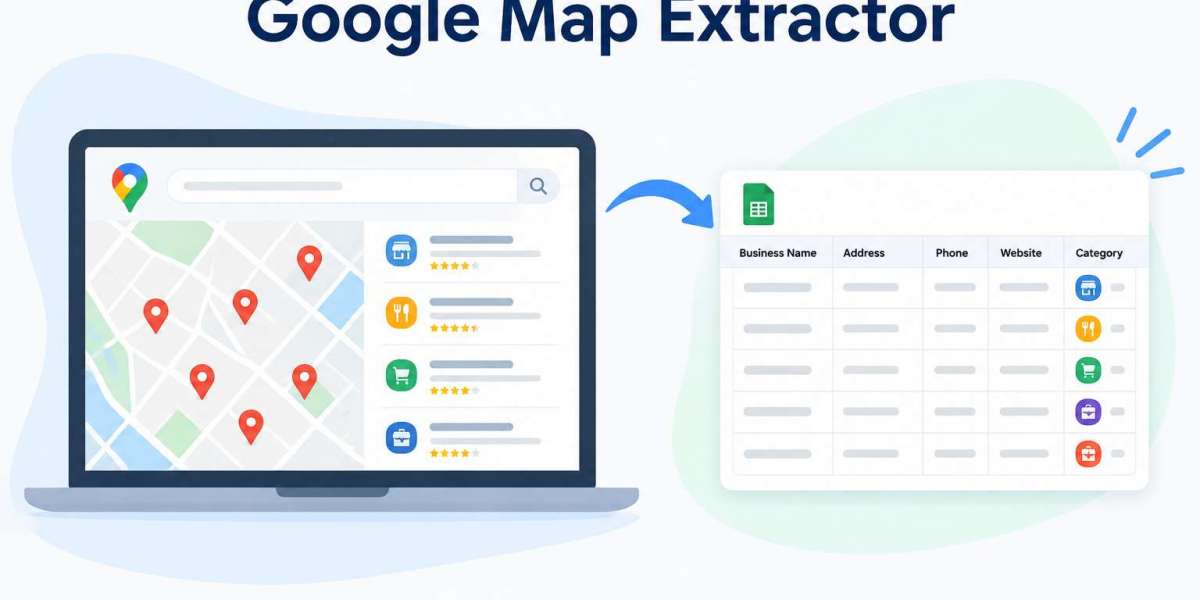
A Google Map Extractor is a tool that collects available business information from map listings based on selected keywords, locations, or business categories. Instead of opening every listing and copying details manually, users can gather relevant information through a more organized process.
Depending on the tool, the information may include business names, addresses, phone numbers, website URLs, and business categories.
For example, imagine you provide website development services and want to work with restaurants in Chicago. You could search for restaurants in your target area and use an extraction tool to organize the available business details for further research.
The goal is simple: spend less time gathering basic information and more time finding businesses that are a good fit for your services. Of course, the information collected still needs to be checked before you use it for marketing or sales.
Why Is Lead Generation Challenging for Businesses?
Every business needs potential customers, but finding the right ones takes effort. Simply collecting a large number of contacts does not guarantee better results. What matters is whether those contacts are relevant to your products or services.
One common problem is the amount of time manual research requires. Searching for businesses one by one, visiting websites, and recording details in spreadsheets can take hours, particularly when you want to cover several locations.
Another challenge is keeping information organized. Some listings may have missing details, while others may contain outdated phone numbers or duplicate records. Sorting through this information adds another step to an already lengthy process.
Businesses can also miss opportunities when they focus only on familiar markets. A company serving one city might have potential customers in nearby areas but lack an efficient way to identify them.
These challenges make it worth exploring tools that simplify business research and help sales teams work with information more efficiently.
How Can a Google Map Extractor Improve Lead Generation?
A Google Map Extractor can support lead generation in several practical ways. Its real value comes from how businesses use the information they collect.
1. Find Businesses in Your Target Market
Suppose you sell commercial cleaning services and want to connect with offices, hotels, and retail stores. Searching for each business individually can take considerable time.
A Google Map Extractor can help you find businesses within selected locations and categories, depending on its available features. This gives you a starting point for building a prospect list based on your target market.
Rather than reaching out to random companies, you can focus your research on businesses that are more likely to need your services.
2. Spend Less Time on Manual Research
Copying business names, addresses, and contact details into a spreadsheet is repetitive work. When you need information about hundreds of businesses, the process can become difficult to manage.
An extraction tool can automate parts of this task and organize supported information into a more usable format. This allows your team to spend more time reviewing prospects, preparing outreach messages, and planning sales activities.
The amount of time saved will depend on the tool, the size of the search, and the quality of the available information.
3. Keep Business Information Organized
A well-organized prospect list makes sales and marketing work easier. Many Google Map Extractor tools support exports to formats such as CSV or Excel, allowing users to review and sort collected information.
You can separate businesses by industry, location, or other available details. This also makes it easier to identify duplicate entries and spot information that needs verification.
For teams managing multiple campaigns, organized data can help prevent confusion and make prospect research more consistent.
4. Explore New Business Opportunities
Sometimes, the next opportunity is in a market you have not considered before. A company that mainly works with customers in one city may discover promising prospects in another region.
For instance, a supplier of restaurant equipment could research restaurants in several cities to understand where potential customers are located. Similarly, a digital marketing agency could explore local businesses in areas where it wants to expand.
A Google Map Extractor can make this initial research easier, helping businesses explore new markets before investing more time and resources.
5. Make Outreach More Relevant
Having business information is useful, but knowing whom to contact and what to offer matters even more.
Once you identify potential prospects, you can visit their websites, learn about their services, and understand whether your offering is relevant to their needs. This research helps you create more meaningful and personalized messages.
For example, a web design agency might approach a business with an outdated website and explain how a more modern design could improve the customer experience.
The extractor helps with discovery, while proper research and communication turn that information into a potential business opportunity.
Key Features to Look for in a Google Map Extractor
Choosing the right tool can save you time and unnecessary effort. However, not every tool offers the same features, so it is worth checking what you actually need.
Here are a few features to consider:
Location-based searches: Look for options that let you research businesses in specific cities, regions, or service areas.
Business category filters: These help narrow your search to industries that match your target audience.
Available contact details: Check which fields the tool can collect, such as business names, addresses, phone numbers, and website URLs.
CSV and Excel exports: Export options make it easier to organize information and share it with your team.
Duplicate handling: Features that help identify repeated records can make prospect lists easier to manage.
Simple navigation: A straightforward interface helps users get started without spending too much time learning the software.
It is also worth reviewing the tool's pricing, usage limits, data quality, and compliance with applicable platform requirements before making a decision.
Who Can Benefit from a Google Map Extractor?
A Google Map Extractor can be useful for different types of businesses, particularly those that need to research companies in specific locations.
B2B sales teams can use it to discover potential business customers and build prospect lists for further qualification.
Digital marketing agencies can research local businesses that may need services such as SEO, website development, social media management, or online advertising.
Local service providers can identify businesses within their service areas. Commercial cleaning companies, maintenance providers, and office equipment suppliers are a few examples.
Market researchers can use available business listings to explore local markets and understand which types of businesses operate in particular areas.
Small businesses and startups can also benefit when they want to expand their reach but do not have a large team dedicated to prospect research.
The tool may support the initial search, but businesses still need to decide which prospects are worth pursuing.
Google Map Extractor vs. Manual Business Research
Manual research is useful when you want to examine a small number of businesses closely. You can visit their websites, review their services, and assess whether they match your ideal customer profile.
However, the process becomes more demanding when you need to research businesses across multiple industries or locations. Collecting every detail individually can take considerable time.
A Google Map Extractor can simplify the initial collection of available business information and help organize results more efficiently. This can be particularly helpful when your research involves a large number of listings.
Still, automation does not replace human judgment. An extracted list may contain irrelevant businesses, outdated information, or duplicate records. Manual checks remain important, especially before making sales decisions or contacting potential customers.
For many businesses, combining automated data collection with careful manual research offers a practical approach.
Best Practices for Using a Google Map Extractor
Getting useful results starts with knowing exactly what you are looking for. Before running a search, define your target audience, preferred locations, and the types of businesses that are relevant to your services.
Keep your searches focused. If you offer accounting software to small businesses, for example, collecting listings from unrelated industries may add unnecessary work without improving your results.
Once you have collected the information, review it carefully. Check business websites, remove duplicate records, and verify important contact details where possible. Do not assume every listing is current or every business is interested in your offering.
It also helps to organize prospects into relevant groups so your sales team can prioritize its efforts. Most importantly, follow applicable privacy laws, platform terms, and marketing regulations when collecting and using business information.
These simple practices can help you build a more useful prospect list instead of focusing only on the number of records collected.
How to Choose the Right Google Map Extractor
The best tool depends on your business needs. Start by considering how many businesses you want to research, which locations you want to cover, and what information you need.
Check whether the tool supports your preferred search categories and offers export formats that fit your workflow. Ease of use, pricing, customer support, and data handling practices should also be part of your decision.
Before committing to a paid plan, consider testing the tool with a small search. Review the results to see whether the collected information is relevant, sufficiently complete, and easy to organize.
It is also important to understand the tool's collection methods and ensure that your intended use complies with applicable laws and platform requirements.
A good Google Map Extractor should fit naturally into your existing workflow and help solve a real research problem, rather than add another complicated process.
Conclusion
A Google Map Extractor can be a useful addition to your lead generation strategy, particularly when finding local businesses and organizing prospect information takes up too much of your team's time.
It can help you explore new markets, identify businesses within specific industries, and reduce some of the repetitive work involved in manual research. However, collecting business information is only the beginning.
To turn that information into meaningful opportunities, you still need accurate data, a clear target audience, proper prospect qualification, and relevant communication.
When used thoughtfully, a Google Map Extractor can make business research more manageable and give your sales and marketing efforts a more organized starting point.
Frequently Asked Questions (FAQs)
1. What is a Google Map Extractor used for?
A Google Map Extractor helps users collect and organize available business information from map listings based on selected locations, keywords, or business categories.
2. How can a Google Map Extractor help with lead generation?
It can simplify business research, help identify potential prospects, and organize available information for further evaluation and outreach.
3. What information can a Google Map Extractor collect?
Depending on the tool and listing availability, it may collect business names, addresses, phone numbers, website URLs, and business categories.
4. Is a Google Map Extractor useful for small businesses?
Yes. Small businesses can use it to research potential customers in their local markets or explore new locations without manually reviewing every listing.
5. Is the information collected by a Google Map Extractor always accurate?
No. Business information can be incomplete, outdated, or duplicated. It is important to verify relevant details before using them for business activities.
6. What should I consider before choosing a Google Map Extractor?
Consider its features, supported search options, available contact fields, export formats, pricing, data quality, and compliance with applicable laws and platform terms.