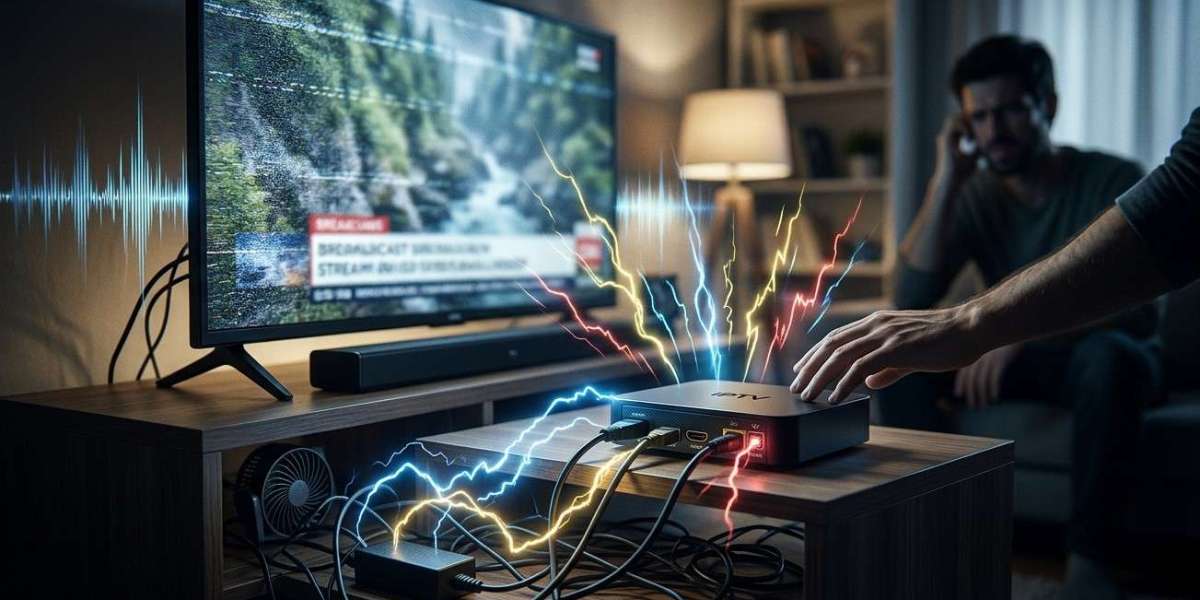

A buzzing, humming, or high-pitched whining sound from your television or streaming box can be distracting, especially when you are watching a movie, live sports, or your favorite program. Sometimes the sound is harmless electrical noise, while in other cases it may indicate a problem with a power adapter, cable, speaker, or connected device.
The first step is to identify where the sound comes from and when it occurs. Whether you use IPTV India services or an Indian IPTV Box, understanding common causes can help you troubleshoot safely without replacing equipment unnecessarily.
Table of Contents
Common Causes of Buzzing, Humming, or Whining
How to Identify the Source
Safe Troubleshooting Steps
When to Seek Professional Help
Frequently Asked Questions
Conclusion and CTA
1. Common Causes of Buzzing, Humming, or Whining
A. Power Adapter Noise
A streaming box's power adapter converts electricity into the power the device needs. Some adapters produce a faint high-pitched sound, sometimes called coil whine, because of vibrations in their electronic components.
If the sound comes from the adapter rather than the box itself, it may be related to the adapter's design or condition.
What to do: Check for visible damage, excessive heat, or a sudden change in noise. If you suspect a fault, stop using the adapter and replace it with a manufacturer-approved or properly rated compatible model.
B. Electrical Interference or Grounding Issues
Buzzing may sometimes occur when several devices are connected to the same power strip or when audio equipment has an electrical grounding issue.
This can be especially noticeable when a television is connected to a soundbar, amplifier, or receiver.
What to do: Check that power and audio connections are secure. If permitted and practical, test the devices using a properly rated wall outlet and follow the manufacturers' instructions. Never remove a grounding pin or use unsafe adapters to eliminate noise.
C. TV Speakers or Audio Connections
A buzzing sound coming through the television speakers may result from an audio cable issue, excessive volume, distorted source audio, or interference from connected equipment.
To identify the cause, lower the volume and mute the television. If the sound stops when muted, it may be coming through the audio system rather than from the television's electronics.
What to do:
Check whether the noise occurs in every app or only one channel.
Inspect HDMI and other audio connections.
Test the television's built-in speakers without external audio equipment, where possible.
Check the soundbar or receiver separately.
D. Loose Cables or Vibrating Furniture
Sometimes the sound is not electrical at all. A cable touching the back of a television, a loose shelf, or a lightweight cabinet can vibrate and produce a hum or rattle.
What to do: Make sure the streaming box and television sit securely on stable surfaces. Organize cables so they do not press against vibrating panels or obstruct ventilation openings.
E. Cooling Fans and Overheating
Some streaming devices contain small fans, while others use passive cooling. A fan can become noisy because of dust, wear, or a mechanical fault.
A device that is unusually hot may also be struggling with poor ventilation.
What to do: Keep ventilation openings clear and place the box in an open area. Switch it off and unplug it before cleaning the exterior according to the manufacturer's instructions. Do not insert tools into vents or open the device unless qualified to do so.
F. The Television's Internal Components
A television may produce a faint electrical hum from its internal power components. The sound can sometimes change with screen brightness or operating conditions.
If the noise is new, getting louder, or accompanied by flickering, unexpected shutdowns, or a burning smell, stop using the television and seek qualified service.
2. How to Identify the Source
Before changing settings or purchasing replacement equipment, narrow down where the sound originates.
Listen closely: Determine whether the noise comes from the TV, streaming box, power adapter, soundbar, or nearby furniture.
Mute the TV: If the sound continues, it may not be coming through the speakers.
Check another app or channel: If the noise occurs only with one source, the audio content or application may be responsible.
Observe the timing: Note whether the sound starts when the device powers on, begins streaming, or becomes warm.
Inspect connections: Look for loose or damaged cables without opening any electrical equipment.
Do not unplug or reconnect equipment while inspecting it if there are signs of electrical damage.
3. Safe Troubleshooting Steps
Try these steps in order:
Improve ventilation: Move the streaming box away from enclosed spaces and heat-producing equipment.
Secure cables: Check accessible connections and prevent cables from vibrating against furniture.
Test the audio setup: Compare the built-in TV speakers with your soundbar or receiver, if available.
Restart the device: If the equipment appears safe and the noise is not associated with electrical damage, perform a normal restart.
Check the power adapter: Use only an approved replacement with the correct voltage, polarity where applicable, connector, and adequate current rating.
Review software updates: Install official updates if the noise appears to coincide with an app or software problem.
If you use an Indian IPTV Box, the box, its adapter, the HDMI connection, and the television are separate possible sources. Testing them systematically can help you avoid replacing a working device.
4. When to Seek Professional Help
A faint, consistent electronic whine may not indicate a fault, but certain warning signs should never be ignored.
Stop using the equipment if you notice:
A burning smell, smoke, sparks, or crackling.
A damaged power cable or adapter.
Excessive heat or melted plastic.
A sudden, loud electrical buzz.
Repeated shutdowns accompanied by unusual noise.
Disconnect power only if it is safe to do so. Do not open a television or power adapter yourself, as internal components may retain dangerous electrical charge even after unplugging. Contact the manufacturer or a qualified technician.
5. Frequently Asked Questions
Is it normal for an IPTV box to make a faint buzzing sound?
Some adapters and electronic components produce a faint whine. However, a new, loud, or worsening sound should be investigated, particularly if the device becomes hot or unstable.
Why does my TV hum even when the volume is muted?
The sound may come from internal electrical components, the power adapter, or vibrating furniture rather than the speakers. Try to identify its location without opening the equipment.
Can an HDMI cable cause buzzing?
A cable may contribute to audio interference or make noise if it is physically vibrating against another surface. Check the connections and test another compatible cable if necessary.
Should I replace a noisy power adapter?
Replace it if it is damaged, overheating, or suspected to be faulty. Choose a manufacturer-approved or correctly rated compatible adapter rather than one selected by connector shape alone.
Can overheating make a streaming box noisy?
Yes, if the device uses a cooling fan, heat may cause the fan to run faster. Poor ventilation can contribute to overheating, so keep the device in an open space and follow the manufacturer's guidance.
6. Conclusion and CTA
A buzzing, humming, or whining sound can come from a power adapter, audio connection, vibrating furniture, cooling fan, or the television's internal components. Identifying the source before changing anything is the most effective way to troubleshoot.
Keep your equipment ventilated, check accessible cables, test audio connections, and use only suitable power adapters. Never ignore signs of electrical damage or attempt unsafe repairs.
If you use IPTV India services, maintaining your television and Indian IPTV Box can help you enjoy a quieter, more comfortable entertainment setup.
Need a quieter streaming experience? Start by identifying where the noise originates, follow the safe checks above, and contact qualified support if the sound persists or warning signs appear.