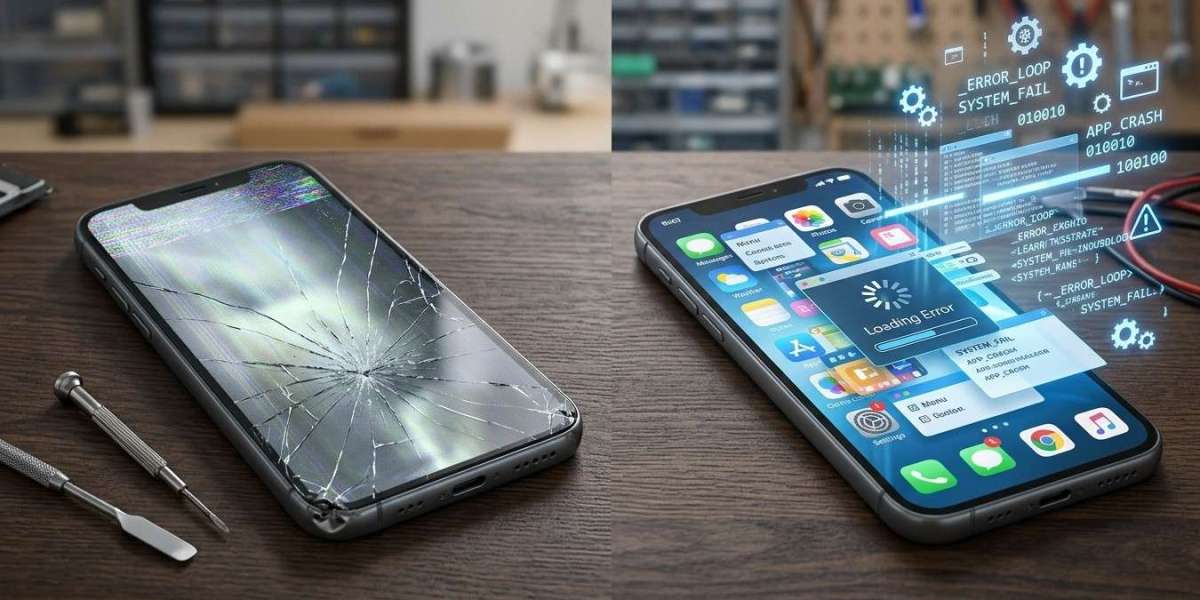

Smartphones can develop different problems that affect their performance, reliability, and everyday functionality. Sometimes, your phone may freeze, restart unexpectedly, or stop responding to certain commands. These issues can result from either hardware damage or software errors. Understanding the difference can help you choose the right troubleshooting method and avoid unnecessary repair expenses.
Before replacing your device or attempting a DIY fix, it is important to identify the possible cause. iPC Repair Houston helps customers explore professional repair solutions for common smartphone and electronic device problems. Knowing whether your phone has a hardware or software issue is the first step toward finding an appropriate solution.
Table of Contents
What Are Smartphone Hardware Problems?
What Are Smartphone Software Problems?
How to Identify the Difference
What Should You Do When Your Phone Has a Problem?
When Should You Seek Professional Repair?
Frequently Asked Questions
Contact iPC Repair Houston
1. What Are Smartphone Hardware Problems?
Hardware problems involve the physical components inside or outside your smartphone. These issues may develop because of accidental drops, water exposure, aging components, or everyday wear and tear.
Here are some common warning signs.
Cracked or Unresponsive Screen
If your screen has visible cracks, black spots, flickering lines, or unresponsive touch areas, the display assembly may be damaged. Physical screen damage generally requires professional inspection.
Battery and Charging Issues
A battery that drains unusually quickly, causes unexpected shutdowns, or fails to hold a charge may be deteriorating. Charging problems can also result from a damaged port or internal power components.
Speaker and Microphone Problems
If people cannot hear you during calls or your phone produces distorted sound, the speaker or microphone may have a hardware fault.
Camera Malfunctions
A camera that displays a black image, produces blurry pictures despite clean lenses, or refuses to open may have a damaged component.
2. What Are Smartphone Software Problems?
Software problems involve the operating system, applications, settings, or other programs running on your smartphone. Unlike hardware failures, these issues do not necessarily involve physical damage.
Frequent App Crashes
If applications repeatedly close or stop responding, the problem may involve outdated software, compatibility issues, or corrupted application data.
Slow Performance and Freezing
A smartphone that becomes slow, freezes, or struggles to open applications may have insufficient storage, excessive background activity, or software conflicts.
Unexpected Restarts
Repeated restarts can sometimes result from operating system errors, problematic applications, or failed updates. However, battery and hardware faults can produce similar symptoms.
Software Update Problems
An interrupted or unsuccessful system update may cause startup errors, unusual behavior, or performance issues.
3. How to Identify the Difference
Although hardware and software problems can produce similar symptoms, certain clues can help you distinguish between them.
| Warning Sign | Possible Cause |
|---|---|
| Visible screen cracks | Hardware |
| Apps repeatedly crashing | Software |
| Charging port damage | Hardware |
| Phone freezing after an update | Software |
| Distorted speaker sound | Hardware |
| Slow performance due to storage issues | Software |
| Phone overheating | Hardware or software |
These are possible indicators rather than definitive diagnoses. For example, a phone that repeatedly restarts may have either a software issue or a failing battery.
4. What Should You Do When Your Phone Has a Problem?
Before arranging a repair, consider these basic troubleshooting steps:
Restart your phone: A restart can resolve temporary software glitches.
Check available storage: Remove unnecessary files after backing up important information.
Update applications: Install updates from trusted sources.
Inspect physical damage: Look for cracks, unusual battery swelling, or charging port damage.
Back up important data: Protect photos, contacts, and documents whenever possible.
Avoid factory resetting your phone before backing up your data. If you suspect liquid damage or battery swelling, stop using and charging the device and seek professional assistance.
5. When Should You Seek Professional Repair?
If basic troubleshooting does not resolve the issue, professional diagnosis can help identify the underlying problem. Technicians can inspect physical components, assess software behavior, and explain suitable repair options.
iPC Repair Houston offers repair solutions for common smartphone problems, including screen damage, battery concerns, charging difficulties, and other device malfunctions.
Visit ipcrepairhouston.com to explore available services and learn more about professional device repair options.
6. Frequently Asked Questions
Can Hardware and Software Problems Occur Together?
Yes. A smartphone can experience both types of problems. For example, physical damage may affect hardware while causing additional software or operating system errors.
Does a Slow Phone Always Have a Software Problem?
No. Slow performance can result from insufficient storage, outdated software, aging hardware, or battery-related issues.
How Can I Check Whether My Phone's Battery Is Damaged?
Look for rapid battery drain, unexpected shutdowns, unusual heating, or swelling. Battery swelling requires immediate professional attention.
Can a Professional Technician Fix Software Problems?
Yes. Depending on the cause, troubleshooting may involve updates, application checks, system repairs, or other software procedures.
Should I Repair My Phone or Replace It?
Consider the phone's age, overall condition, repair estimate, and replacement cost before making a decision.
7. Contact iPC Repair Houston
Understanding whether your smartphone has a hardware or software problem can help you avoid unnecessary expenses and choose the right repair approach. While basic troubleshooting may resolve minor software issues, physical damage and persistent malfunctions often require professional attention.
If your smartphone is freezing, restarting, charging improperly, or experiencing display problems, contact iPC Repair Houston for assistance.
Visit https://ipcrepairhouston.com/ to explore available repair services and find out how to get started. Taking action early can help protect your device and keep it functioning reliably.