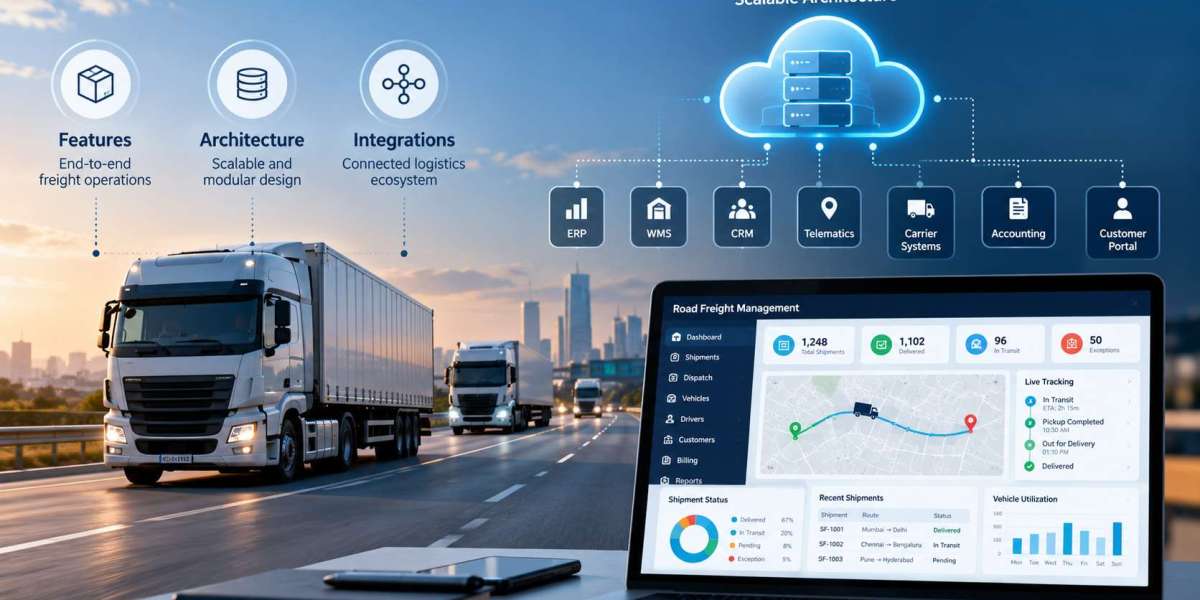

Freight forwarding operations are built around movement, coordination, and timing. But behind every shipment is a large amount of information that needs to be updated, shared, verified, and acted upon.
For many freight forwarders, a surprising amount of this work still happens in spreadsheets.
Teams use spreadsheets to track shipment status, manage documents, record milestones, monitor exceptions, and share updates across departments. While spreadsheets are flexible and familiar, they become difficult to manage as shipment volumes grow and operations become more complex.
The real challenge is not that spreadsheets are inherently bad. The problem is that they were never designed to provide real-time visibility across a connected freight operation.
Modernizing freight forwarding means moving from isolated tracking files to connected workflows, integrated systems, and real-time operational visibility. This is where modern freight forwarding software solutions can help businesses create more efficient, scalable, and transparent operations.
Why Freight Forwarders Still Depend on Spreadsheets
Spreadsheets often become part of freight operations because they solve immediate problems quickly.
A team may create a spreadsheet to track:
Shipment references
ETD and ETA
Carrier details
Container numbers
Customs status
Delivery milestones
Customer updates
Documentation
Invoice status
Exceptions and delays
At first, this may work well.
As operations expand, however, multiple teams may create different versions of the same file. Employees begin updating separate spreadsheets for operations, customer service, finance, and management reporting.
This creates a fragmented information environment.
A shipment may have one status in the operations spreadsheet, another status in a customer update file, and additional information stored in email or another system.
That is when spreadsheets stop improving visibility and start creating uncertainty.
The Visibility Problem Is Really a Data Problem
Real-time shipment visibility depends on having reliable information available when teams need it.
If data is spread across spreadsheets, emails, carrier portals, customs systems, and transportation platforms, employees must manually collect and reconcile information.
This makes visibility dependent on people.
For example, a shipment may have departed several hours ago, but if nobody updates the spreadsheet, internal teams and customers may still see an outdated status.
The issue is not simply delayed data entry.
It can also affect:
Customer communication
Exception management
Delivery planning
Customs coordination
Billing
Internal reporting
Operational decision-making
Real-time visibility requires a connected flow of information rather than a series of manual updates.
What Real-Time Visibility Should Actually Mean
Real-time visibility is often treated as a tracking feature.
In practice, it is much broader.
A modern freight forwarding operation should be able to bring together information from multiple sources and present a clear view of shipment progress.
This may include:
Booking confirmation
Cargo pickup
Warehouse receipt
Customs processing
Port departure
In-transit milestones
Port arrival
Customs clearance
Final delivery
But visibility should also include the documents, exceptions, tasks, and decisions connected to those milestones.
For example, an operations team should not only know that a shipment is delayed.
They should also be able to see why it is delayed, which customer is affected, what documentation is involved, and what action needs to happen next.
That is the difference between basic tracking and operational visibility.
Why Spreadsheets Become a Bottleneck
Spreadsheets create several limitations as freight operations scale.
Data Becomes Outdated Quickly
A spreadsheet is only as accurate as its last update.
If employees are busy managing shipments, status changes may not be recorded immediately.
This means decisions can be based on incomplete information.
Multiple Versions Create Confusion
Different teams may maintain their own files.
When several versions of the same shipment record exist, employees may not know which information is current.
Manual Updates Increase Workload
Employees may have to check carrier websites, read emails, contact partners, and then update spreadsheets manually.
This process can be repeated several times for the same shipment.
Information Is Difficult to Connect
Shipment data may need to be combined with customs information, documents, billing records, and customer details.
Spreadsheets can store this information, but they do not easily create automated connections between systems.
Exception Management Is Reactive
When information is reviewed manually, problems may only become visible after someone checks the file.
This limits a team's ability to identify delays or missing information early.
How Freight Forwarding Software Solutions Improve Visibility
Modern freight forwarding software solutions can replace many manual tracking activities with connected workflows.
The goal is not simply to move spreadsheet columns into another system.
The goal is to create a platform where information flows automatically and teams can see the operational picture without manually assembling it.
1. Connecting Multiple Data Sources
Freight forwarding operations depend on information from many external and internal systems.
These may include:
Carrier platforms
Transportation management systems
Warehouse management systems
Customs systems
Accounting platforms
Customer portals
Tracking services
Internal operational tools
System integrations allow this information to move between platforms automatically.
Instead of employees copying data from one system into a spreadsheet, connected systems can update shipment information directly.
This improves both speed and consistency.
2. Creating a Centralized Shipment View
A centralized platform can provide teams with one operational view of each shipment.
Instead of searching through emails, spreadsheets, and external portals, employees can access important information in one place.
A shipment record may include:
Current status
Key milestones
Carrier details
Shipping documents
Customs status
Customer information
Tasks
Exceptions
Billing information
This reduces the time employees spend searching for information and makes collaboration easier across departments.
3. Automating Shipment Updates
One of the biggest advantages of modernization is the ability to automate status updates.
If tracking services and carrier systems are integrated, shipment milestones can update automatically.
For example:
Departure confirmed
Vessel delayed
Port arrival recorded
Customs clearance completed
Delivery scheduled
These updates can then appear in internal dashboards and customer portals.
Teams no longer need to rely entirely on manual spreadsheet updates to understand shipment progress.
4. Improving Exception Management
Real-time visibility becomes especially valuable when something goes wrong.
Normal shipments may not require much attention.
Exceptions do.
A modern system can identify situations such as:
Delayed departures
Missed connections
Missing documents
Customs holds
Delivery delays
Incomplete shipment records
Instead of employees reviewing every shipment manually, the system can highlight the shipments that require attention.
This creates an exception-driven workflow.
Teams focus their time where it is needed most.
5. Improving Customer Visibility
Customers increasingly expect access to accurate shipment information without waiting for manual updates.
A customer portal can provide visibility into:
Current shipment status
Key milestones
Documents
Delivery information
Exceptions
Tracking history
Automated notifications can also alert customers when important changes occur.
This reduces routine requests such as:
“Where is my shipment?”
“Has it arrived?”
“Has customs cleared it?”
“Can you send the latest document?”
Better visibility helps customer service teams spend less time answering repetitive questions.
6. Connecting Documents With Shipment Workflows
Freight forwarding is document-intensive.
If documents are stored separately from shipment records, employees may spend significant time locating the correct file.
Modern freight systems can associate documents directly with shipments.
These may include:
Bills of lading
Commercial invoices
Packing lists
Customs documents
Delivery orders
Shipping instructions
Document workflows can also be automated.
For example, a system may detect a new document, associate it with a shipment, route it for review, and notify an employee if information is missing.
This creates a more structured process than storing documents in shared folders or email chains.
7. Making Reporting More Reliable
When reporting depends on spreadsheets, teams often spend time collecting and cleaning data before management can use it.
Connected systems can provide more consistent operational data.
This makes it easier to monitor areas such as:
Shipment volumes
Delays
Carrier performance
Customs processing
Delivery performance
Exception frequency
Customer service activity
Reliable data supports better operational decisions.
It also creates a stronger foundation for advanced analytics and automation in the future.
Modernization Does Not Always Mean Replacing Everything
A common concern is that modernization requires replacing every existing system.
That is not always necessary.
Many freight forwarders already have important technology in place.
The problem may be that these systems do not communicate effectively.
In these situations, modernization may focus on:
Integrating existing platforms
Automating data movement
Building centralized dashboards
Improving document workflows
Adding customer portals
Modernizing specific legacy applications
This approach can reduce disruption while improving operational visibility.
The objective should be to remove disconnected workflows, not to replace technology simply for the sake of modernization.
How to Move Beyond Spreadsheet-Based Operations
A practical modernization journey starts by understanding where spreadsheets are being used and why.
Freight forwarders can begin by identifying:
Which spreadsheets are operationally critical?
Some spreadsheets may be used only for reporting.
Others may be essential for daily shipment management.
These should be prioritized.
Where is data being entered more than once?
Repeated data entry is often a strong indicator that integration is needed.
Which updates depend on manual checking?
If employees must repeatedly visit carrier websites or contact partners for updates, those workflows may be candidates for automation.
Where do teams lose visibility?
Look for situations where employees struggle to answer basic operational questions quickly.
Which processes create the most exceptions?
High-friction workflows often offer the greatest modernization opportunity.
By mapping these areas, businesses can identify where technology will create the most practical value.
Choosing the Right Freight Forwarding Software Solutions
The right technology should support operational goals rather than simply adding more features.
Freight forwarders should evaluate solutions based on factors such as:
Integration: Can the platform connect with existing logistics, customs, finance, and tracking systems?
Visibility: Can employees see shipment status and exceptions in one place?
Automation: Can repetitive updates and workflows be automated?
Scalability: Can the system support higher shipment volumes and more complex operations?
Document handling: Can shipment documents be managed efficiently?
Customer access: Can customers access useful shipment information without contacting operations teams?
Data quality: Can the system create reliable information for reporting and decision-making?
A strong solution should reduce operational friction rather than introduce another disconnected system.
From Manual Tracking to Connected Operations
Spreadsheets often become part of freight forwarding operations because they are easy to create and adapt.
But as operations grow, that flexibility can become a limitation.
Teams need more than a place to record shipment information.
They need connected systems that update automatically, surface exceptions, centralize documents, and give employees and customers access to reliable information.
Modernization should therefore be viewed as a shift from manual tracking to connected operations.
The objective is not simply to remove spreadsheets.
It is to create a technology environment where data moves more efficiently and teams can make decisions with greater confidence.
Final Thoughts
Freight forwarding is becoming increasingly dependent on fast, accurate, and accessible information.
Spreadsheets may continue to play a role in certain tasks, but they should not be the primary source of operational visibility for a growing freight business.
Modern freight forwarding software solutions can connect systems, automate updates, centralize shipment information, improve exception management, and provide a clearer operational view.
The most effective modernization efforts usually begin with a simple question:
Where are teams spending time manually finding, updating, or reconciling information?
Those areas often reveal the biggest opportunities to move from spreadsheet-based operations toward real-time visibility.